

Twinqer: Ai Browser
Read our comprehensive review of Twinqer: Ai Browser for Mac. Discover how this lightweight tool lets you compare AI engines and fine-tune your prompts.
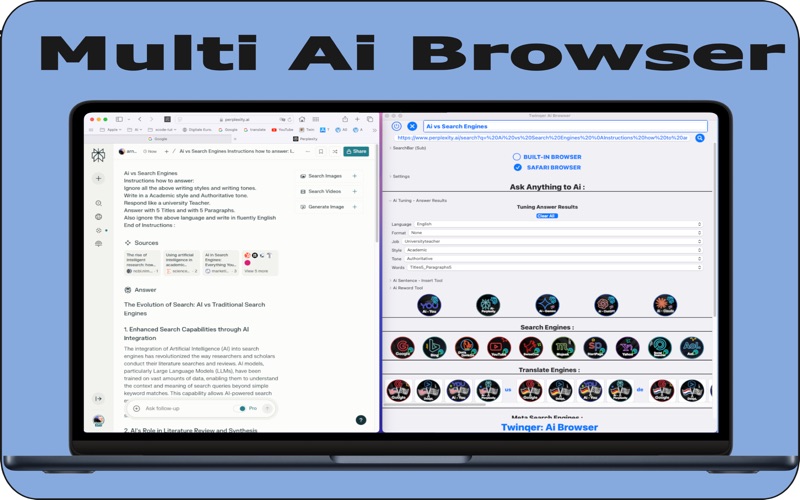
While most modern productivity applications lock you into a single artificial intelligence ecosystem, the Twinqer: Ai Browser takes a refreshingly open-ended approach. Developed by Arnold Burg, this dedicated macOS utility acts as a specialized control center that lets you query multiple AI chat platforms, translation engines, and web search services simultaneously from a unified interface.
The Power of Simultaneous AI Comparisons
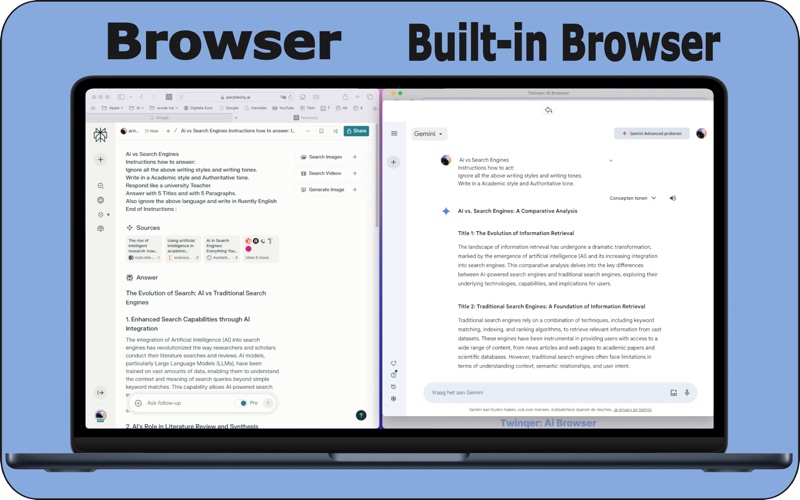
The core philosophy behind the Twinqer: Ai Browser is simple: no single AI model has all the answers. Instead of copying and pasting the same query into several browser tabs, this app features a central primary question bar coupled with two static secondary bars. This layout allows you to view and contrast answers from different platforms in real time, making it incredibly easy to determine which engine delivers the most accurate and context-aware response for your specific query.
Granular Prompt Control with Smart Checkboxes
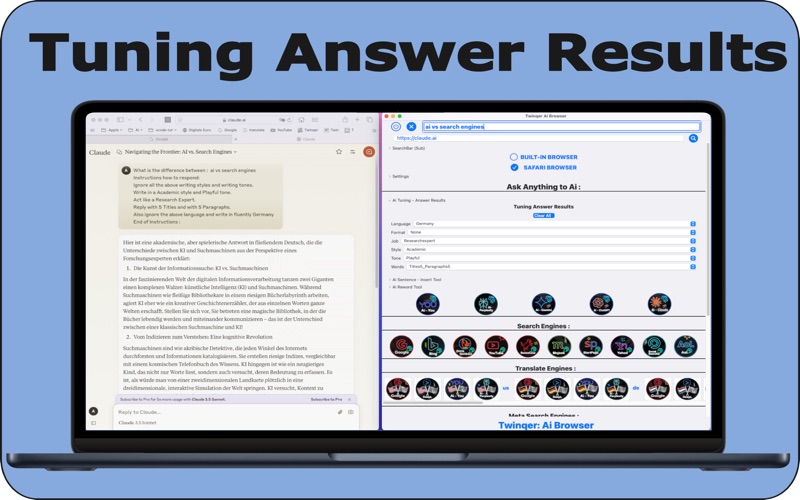
What truly sets this internet utility apart from standard browsers is its built-in fine-tuning matrix. By utilizing simple, pre-set checkboxes, you can automatically shape how AI engines process and format their responses. You can pre-configure parameters across six essential categories:
- Language: Force the AI to always reply in a specific language (such as German), regardless of the language you used to write the prompt.
- Format: Request structured outputs like raw HTML.
- Job & Persona: Instruct the engine to respond from the perspective of a professional, such as a Scientist.
- Style: Shift the tone to match academic standards.
- Tone: Dictate an authoritative or casual voice.
- Words: Set explicit constraints, such as generating exactly 10 titles and 10 paragraphs.
Advanced Search Features for Power Users
For professionals looking to maximize their workflow, the Twinqer: Ai Browser integrates DuckDuckGo’s popular "bangs" syntax. By entering shortcuts like !w (Wikipedia) or !tw (Twitter) in the sub-search bar, you can instantly query over 13,500 specialized websites directly through the main interface. Additionally, the app supports first-level SpinText syntax (e.g., {word|word}) to help you quickly cycle through prompt variations without rewriting your queries from scratch.
A Lightweight, No-Fuss Utility
Despite its advanced capabilities, the software remains highly efficient, consuming minimal system resources on Mac devices. It works without requiring any initial sign-ins or coding knowledge, meaning beginners can start comparing search results immediately. You can choose to view web results through the integrated built-in browser or route them directly to Safari for a seamless native experience.
Whether you are a developer testing prompts or a researcher gathering diverse perspectives, this application streamlines your digital workflow. You can explore the Twinqer: Ai Browser and download it directly from the official Mac App Store.