

Angry IP Scanner
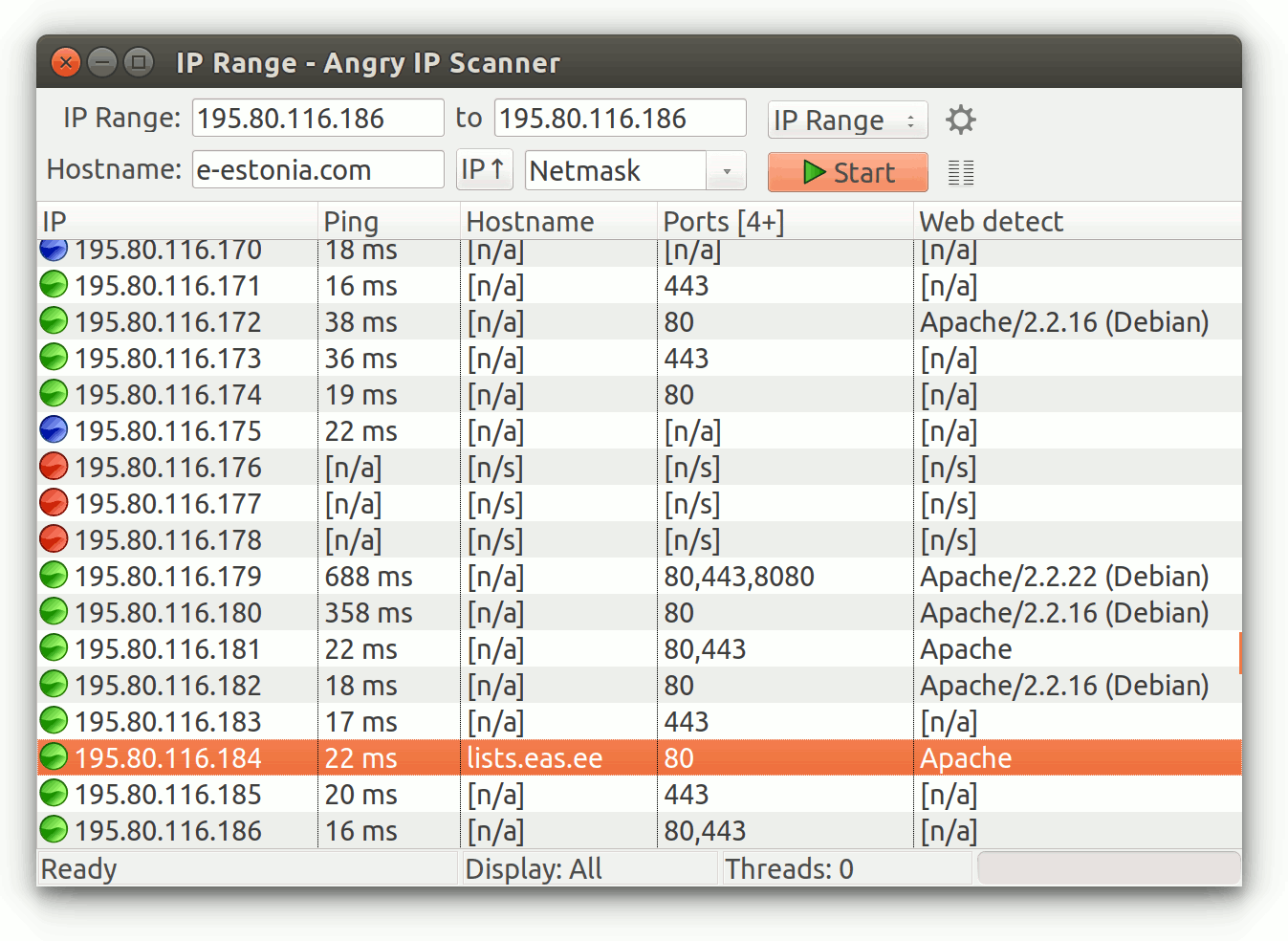
Discover how Angry IP Scanner provides rapid, open-source network scanning for Linux users. Read our full review of this lightweight administration tool.
An Essential Utility for Network Administrators
Angry IP Scanner network scanning capabilities have long been a staple in the toolkit of system administrators, security auditors, and tech enthusiasts. Developed by Anton Keks and contributors, this lightweight, open-source utility is designed to accomplish one primary task exceptionally well: pinging IP addresses and scanning ports with maximum speed and minimal fuss. For Linux users seeking a reliable, cross-platform solution to map their local networks, this tool offers an incredibly efficient workflow.
Who Benefits Most from Angry IP Scanner?
Whether you are managing a complex corporate intranet or simply troubleshooting your home Wi-Fi setup, this software adapts to your technical needs. It is particularly valuable for:
- System Administrators: Quickly audit active devices, resolve IP conflicts, and verify open ports across subnetworks.
- Security Professionals: Perform baseline reconnaissance to identify unauthorized hardware connected to the network.
- IT Consultants: Keep a portable, dependable diagnostic tool ready for client deployments without heavy installation overhead.
Key Features and Functional Strengths
The popularity of this tool stems from its straightforward design and robust architecture. Here is what makes the Angry IP Scanner network scanning experience stand out:
- Multi-Threaded Performance: By utilizing a multi-threaded scanning approach, the application queries hostnames and ports simultaneously, delivering results in seconds rather than minutes.
- Cross-Platform Consistency: While highly favored on Linux, its Java-based foundation ensures identical behavior and reliability across different operating systems.
- Flexible Data Export: Scan results can easily be saved in various formats, making it simple to import network data into spreadsheets or command-line scripts.
A Trusted Standard in Network Diagnostics
What truly sets this application apart is its widespread adoption. From independent developers to large-scale enterprises, financial institutions, and government agencies, the simplicity of its interface combined with its raw performance makes it a trusted standard. Rather than overwhelming users with bloated enterprise suites, it focuses entirely on fast, friendly, and accurate network discovery.
If you are ready to streamline your network diagnostics, we invite you to explore the utility further. You can learn more and access the official package directly on the Flathub store page.